In part1, I’ve shown how to create a windows cluster in a multi subnet setup.  In this post let’s see how to create a AG and corresponding listener.

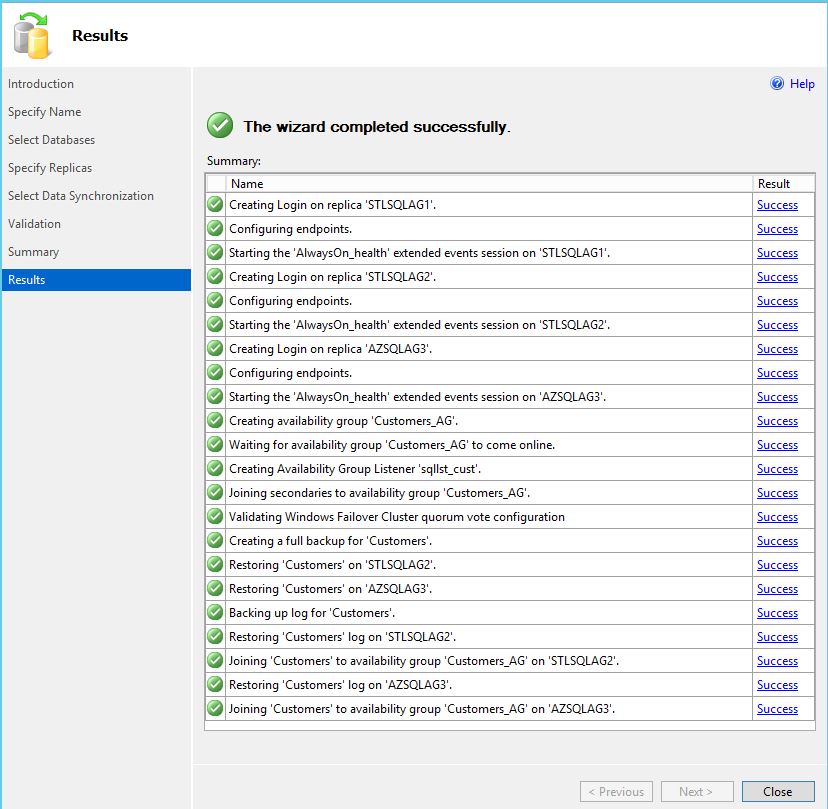
In my lab, I will be creating two AGs and two corresponding listeners.

Details:
I’ve two databases – > sales and customers.
Two AGs – > Sales_AG and Customers_AG.Two Listners – > sqllst_Sales and sqllst_Cust.
For sales AG, I’ve disabled “Database level health detection”, a new feature introduced in SQL 2016.

AG1

ag2

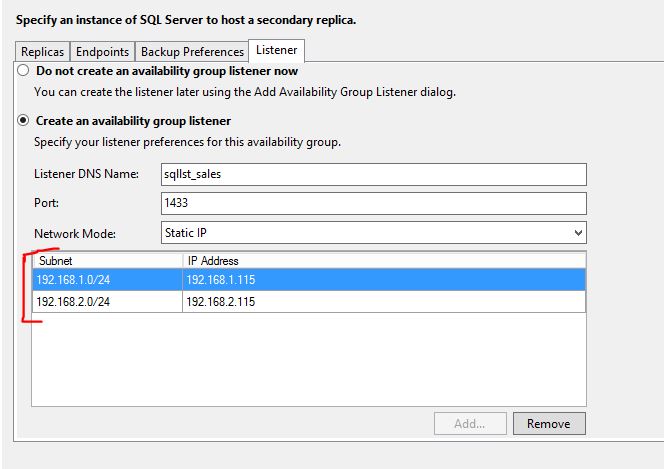
Now, for Listener two IPs from both subnets have been provided.
ag3

ag5

Same process has been followed for creating customers AG and listener as well(But this time I’ve enabled Database level health detection).

ag4

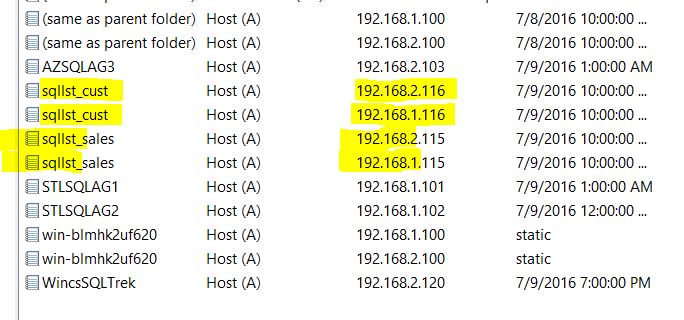
Since this is a multi-subnet setup two entries(one from each subnet) will be created in DNS for each listener name as shown below.
ag_final

That’s about it folks.

3 responses to “Lab setup – AlwaysOn AGs in a Multi Subnet Cluster – Part 2”

  1. Vijay Avatar
    Vijay

    Srikanth,

    Can you please point me to a a place where I can learn how to do a failover between he primary and the dr site? We are planning for a 3 node setup like the one you mentioned . 2 in DC and one in Sanjose
    The witness will be in DC . Planning to use sql server 2016 with windows server 2012R2. Do I have to disable the node weight of the 3rd node? Please let me know

    Thanks!
    Vijay

    1. sreekanth bandarla Avatar
      sreekanth bandarla

      see this fantastic doc from Microsoft.
      https://msdn.microsoft.com/library/hh781257.aspx

  2. […] Lab setup – AlwaysOn AGs in a Multi Subnet Cluster – Part 2 […]

Leave a reply to Multi Subnet AG setup process – Database knowledge (MS SQL Server…) Cancel reply

I’m Sreekanth

Welcome to MSSQLTREK, my little corner of the internet where I geek out about SQL Server, databases, and all things cloud. This blog is my space to share lessons learned, cool tips, real-world troubleshooting stories, and the occasional deep dive into data and performance. Whether you’re a fellow Cloud Architect, DBA, Developer, or just cloud-curious, come along for the ride — let’s explore, optimize, and build awesome data solutions together!

Let’s connect