Couple of days ago we’ve seen how to fix DCOM permissions issue while connecting to SSIS remotely. See here.
In this Blog Post let’s see one more annoying error(RPC Server unavailable) we see developers complaining about, while connecting to SSIS 2008 Server from there client machines.
Connecting to the Integration Services service on the computer “mirrorstand” failed with the following error: “The RPC server is unavailable.
“.This error occurs when the computer host name does not exist, or cannot be reached.

I’ve SSIS Service running on “mirrorstand” machine and I’m trying to connect from another machine “node2”. Please note, I’ve not configured Firewall yet on my “Mirrorstand” machine(Windows Server 2008).
How to Fix this Error?
All we’ve to do is add couple of exceptions in our Firewall, basically to allow “MsDtsSrvr.exe” Program and SSIS Port(TCP 135). Let’s see how to do that in action.
Step 1: Logon to your SSIS Server and Open Firewall with Advanced Services and create a new Inbound Rule for TCP Port 135.
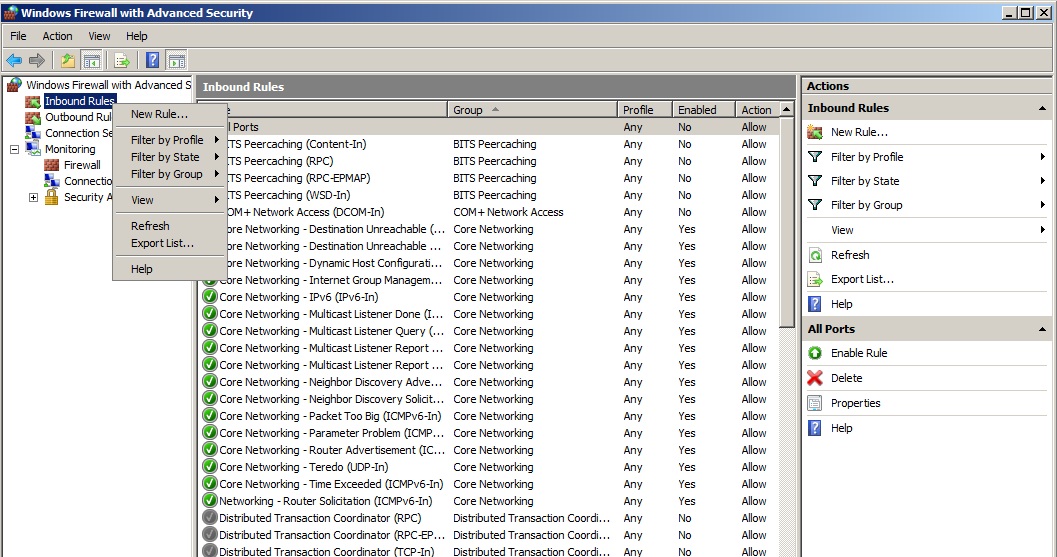
Step 2: Click on New Rule and select Port as shown below.
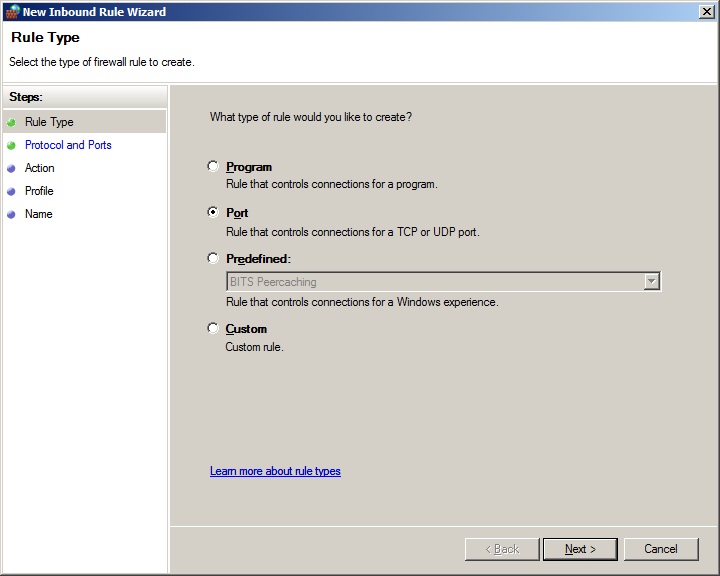
Step 3: Select TCP and enter 135 as port number as shown below.
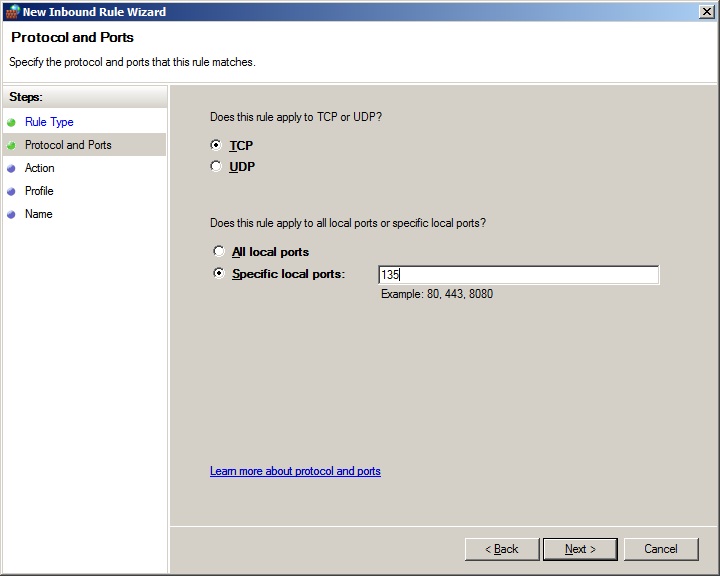
Step 4:
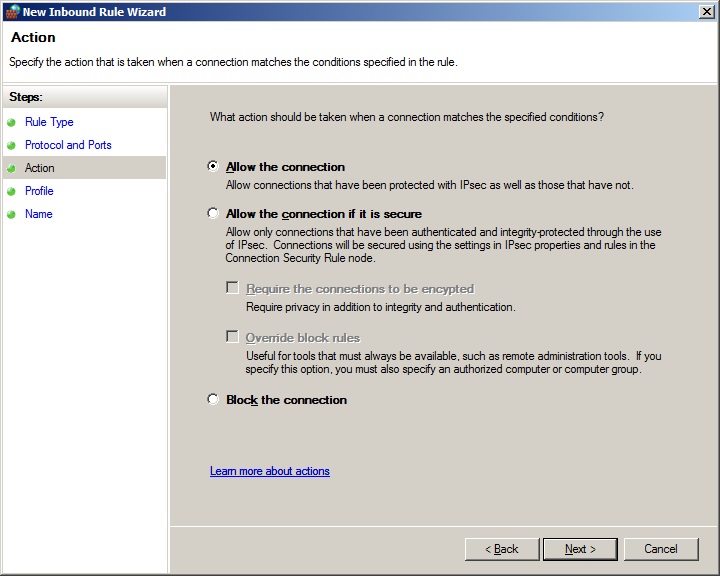
Step 5:
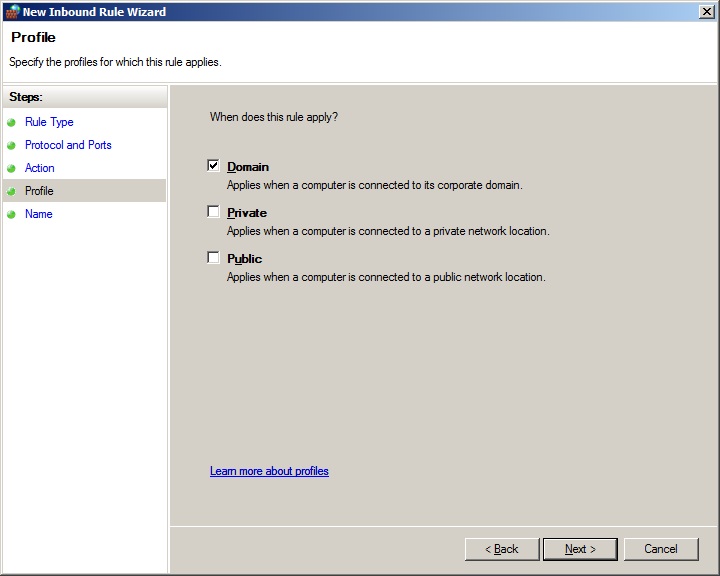
Step 6:
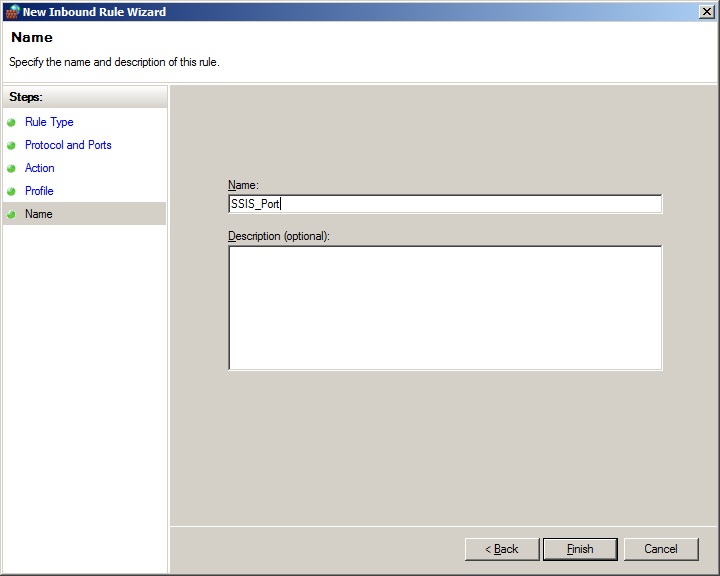
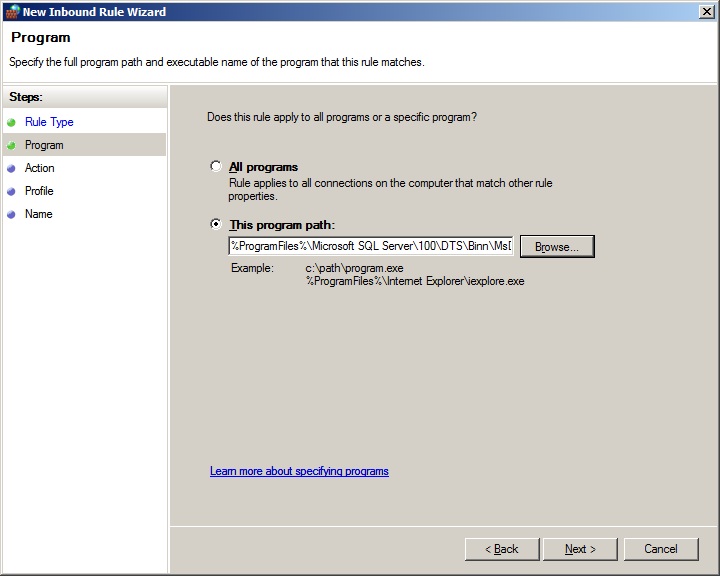
Now, The most important part comes here. We’ve to add MsDtsSrvr.exe as an exception. Create a new Rule and follow the same screenshots, but You’ve to choose Program instead of Port and browse to the executable.
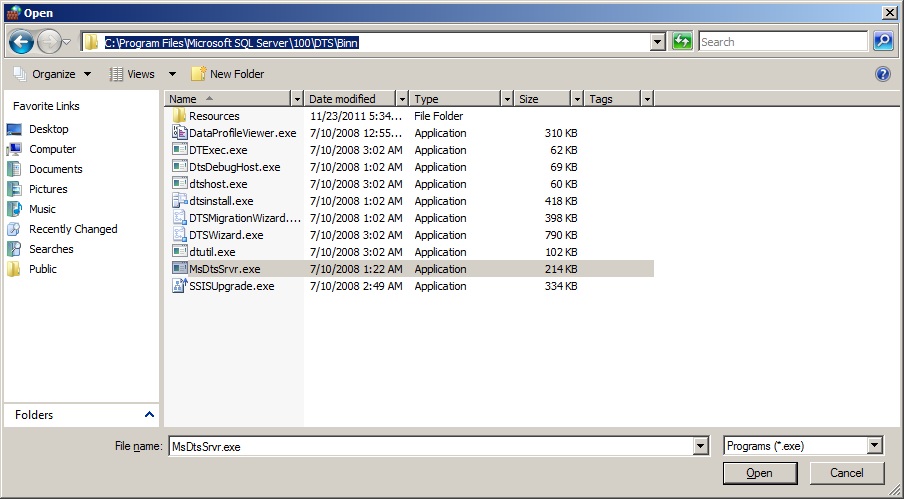
Typically, you should be able to locate this executable in “C:\Program Files\Microsoft SQL Server\100\DTS\Binn” Folder as shown below.
And, my firewall Inbound Rule looks like below…
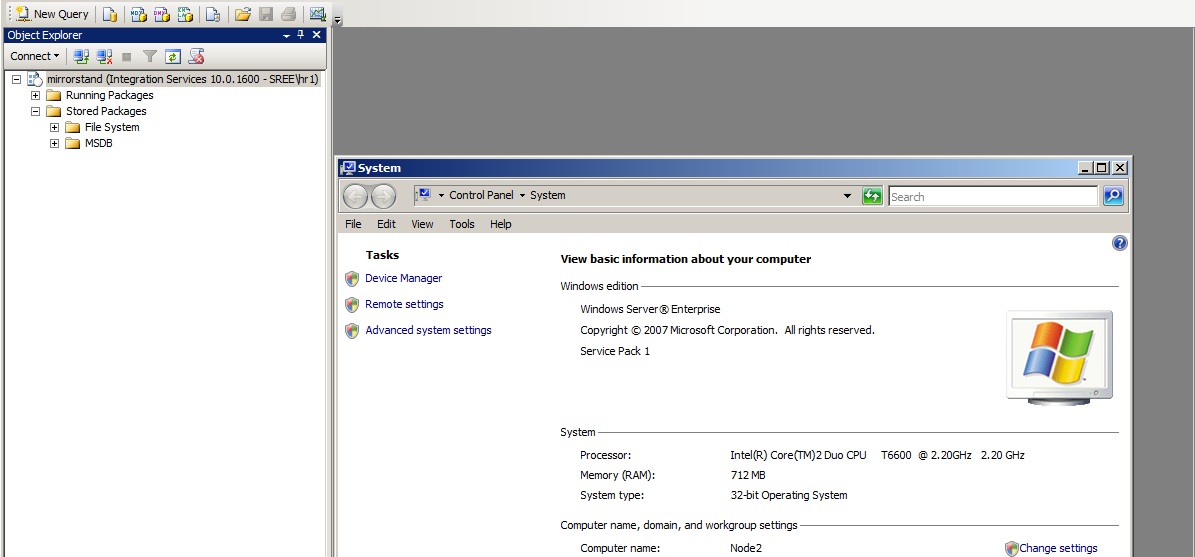
Once I added the Port and Program to my Inbound Rules on my SSIS Server, I’m able to successfully connect to SSIS(mirrorstand) from “Node2” machine as you can see below… 🙂
Hope this info helps when you get into this situation…Cheers!


Leave a Reply