In this blog post, Let’s see how to Install Neo4J on a Linux machine. I am using CentOS 8.0 for this exercise, but the process is exactly the same for RHEL as well. For instructions regarding SUSE, Ubuntu and/or Offline mode install using tar ball, go to neo4j official documentation.
Before proceeding any further, below is my OS build level.

Step1: Install Java 11 (Prerequisite)
sudo yum install https://dist.neo4j.org/neo4j-java11-adapter.noarch.rpm –skip-broken

Step 2: Time to setup our repo file in repos.d folder.
Step 2.1:
// Import the signing key file
sudo rpm –import https://debian.neo4j.com/neotechnology.gpg.key
Step 2.2:
create /etc/yum.repos.d/neo4j.repo file as shown below.
[neo4j]
name=Neo4j Yum Repo
baseurl=http://yum.neo4j.com/stable
enabled=1
gpgcheck=1
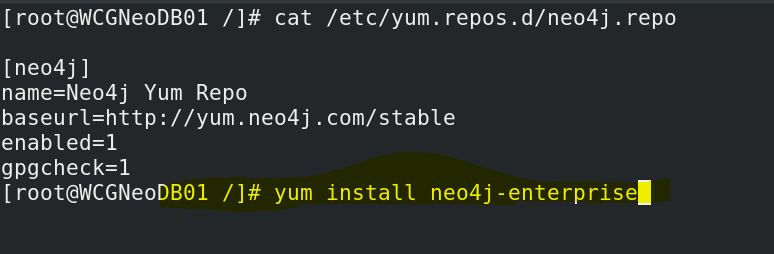
FYI, this is my repo file contents.

Now that we have all the prerequisites in place, the final step is to Install Neo4j.
Step 3: Install neo4J Enterprise
sudo yum install neo4j-enterprise
Accept license as shown below when asked.

Or if you don’t want that extra spalsh screen where it asks you to accept license terms, you can perform silent/non-interactive install by issuing below command.
NEO4J_ACCEPT_LICENSE_AGREEMENT=yes yum install neo4j-enterprise
Thats it folks! That’s all it takes to Install neo4J on a linux machine. Before wrapping up let me show you how to check the service status and start neo4J deamon, look at the below screenshot and focus on the blocks, you will get an idea 🙂

have fun exploring Graph databases!


Leave a comment