In the previous part of this series, we have seen what a cluster shared volume is and what are the advantages and other considerations to keep in mind when deploying CSVs for SQL Server workloads. In this article, I will walk though actual installation of a failover cluster Instance leveraging CSVs.
To begin with, I will walk you through my cluster setup from 20,000 foot view. I created two brand new VMs running windows server 2012 R2 and renamed them accordingly. Nothing special w.r.t disk drives at this point, Just basic VMs with a system drive(C$).
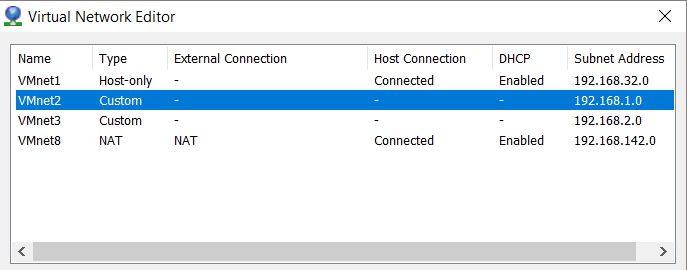
I also created 2 virtual networks in my VMWare workstation which I will be using for configuring my Public and private NICs on my nodes.
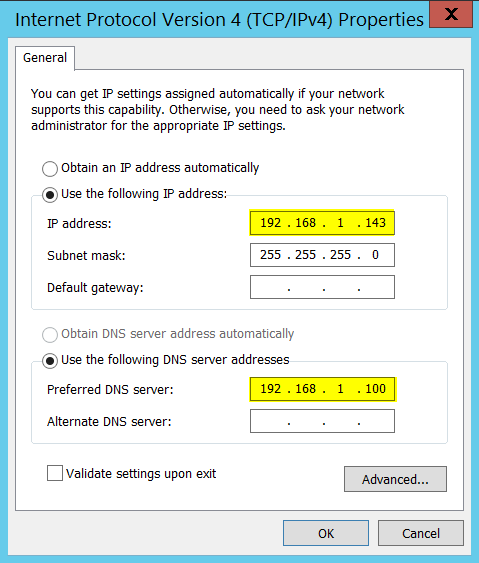
On my first node:
192.168.1.100 is the IPv4 address of my DNS server and below are my NIC settings.
Once IP address has been configured, below is how I joined my node to domain (sqltrek.local in my case).
Further reading: Deploy SQL with CSVs – Part 2


Leave a comment