With the new windows 8.1, it is very simple to bypass the new start(Live Tiles) Screen if you want to and directly boot into regular Desktop mode. Let me show you how…
Nope! That’s not a setting in control Panel and not even in your task manager….! Once you login to your windows machine, switch to your legacy Desktop screen and right click on task bar and go to Properties and navigate to “Navigation” tab. Now at the bottom section(Start Screen) select “When I sign in or close all apps on a screen, go to desktop instead of start” as shown below and click Apply->ok. That’s it…You are good to go 🙂
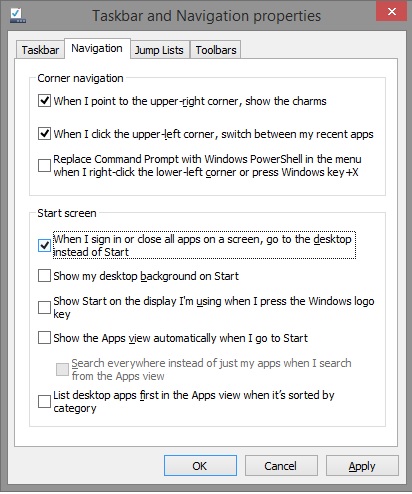
Very Simple huh…!


Leave a comment